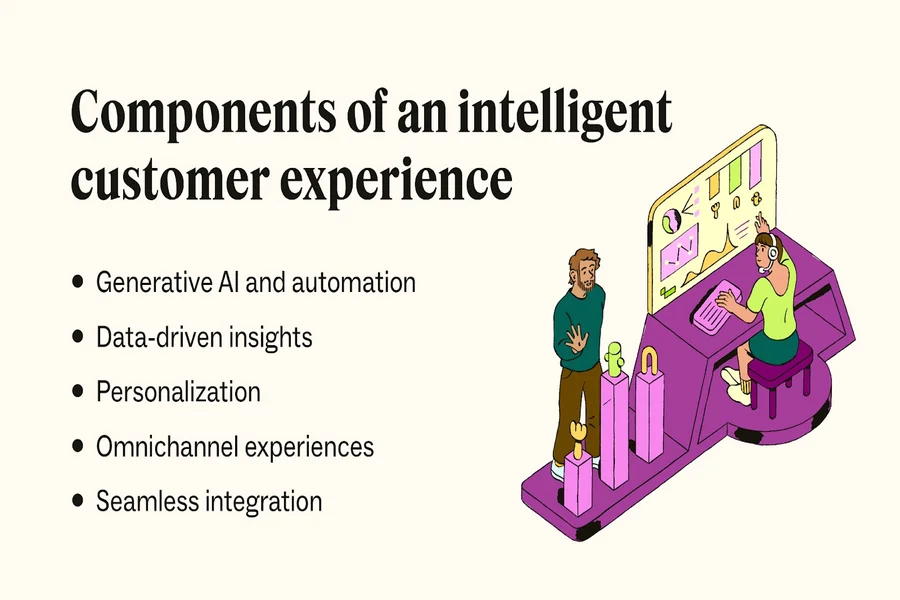
Contact centers have honestly evolved a lot from those old-school, kinda clunky support units we all used to think about. Back then, they were mostly seen as cost-heavy departments that only picked up calls. But now? Today’s contact centers are these super dynamic customer engagement engines — mixing AI, automation, analytics, omnichannel tools, and human expertise so customers get fast, personalized, and really smooth experiences.
Even though a contact center isn’t exactly the same as a traditional call center, both are still super important touchpoints for any business. Most of the time, they’re the very first place customers, prospects, or partners reach out to when they need help, want information, or have some issue. Whether it’s rebooking a flight, fixing a weird bank charge, or solving a tech problem, modern contact centers make sure the interaction feels efficient, accurate, and yeah, a bit more human too.
What is a contact center?
A contact center is basically a centralized team that handles all customer communications across different channels — not just calls. So that means emails, live chat, social media, SMS, messaging apps, and more. Unlike call centers that mainly deal with voice calls, contact centers use an omnichannel approach. No matter how someone reaches out, the idea is that they get consistent, quality support as part of the overall customer experience management.
These teams combine people, processes, and tech to answer questions, solve problems, handle outbound communication, and create interactions that actually help build loyalty and business growth.
Why contact centers matter
People rely on contact centers every single day for stuff like:
- booking updates
- billing or account issues
- tech troubleshooting
- returns and product support
- emergency help
By blending skilled agents with advanced tech, companies can deliver faster service, reduce frustration, and boost customer satisfaction overall.
How a contact center works
Contact centers today function way differently from those older voice-only call centers. They use AI, automation, data analytics, and cloud systems to make everything smoother and more personalized.
1. Intelligent Routing and Automation
AI-powered routing helps manage large amounts of queries. For example:
- IVR and AI bots screen questions and direct people to the best agent or even solve simple issues automatically.
- Multichannel routing makes sure that whether someone reaches out via phone, chat, or social media, it lands with the right team.
2. Real-Time Monitoring and Optimization
Supervisors use real-time dashboards to check:
- Call and chat volumes
- wait times
- customer sentiment
- agent performance
Using analytics and voice of the customer tools, they can spot issues early, adjust schedules, fix bottlenecks, and improve service on the go.
3. AI-Driven Agent Assistance
AI copilots help agents by:
- suggesting responses
- analyzing customer emotions
- pulling up relevant customer info fast
- summarizing past conversation history
- recommending next best actions
Example:
If a customer switches from chat to a phone call, AI carries over the whole conversation so they don’t have to repeat everything again.
4. Blending Automation With Human Expertise
Even though AI speeds up routine tasks, human agents still handle:
- complex issues
- escalations
- sensitive cases
- Situations where empathy is important
This balance helps reduce burnout and keeps customers happier.
Future trends in contact centers
Customer expectations keep shifting, and contact centers are shifting right along with them.
1. Real-Time, On-Demand Support
People want help whenever they decide — not when business hours allow.
Omnichannel systems now support 24/7 access through chat, voice, messaging apps, social media, and so on.
2. Self-Service Contact Centers
Not everything needs an agent anymore. Tools like:
- IVR
- chatbots
- knowledge bases
- automated workflows
Let customers solve simple stuff instantly, cutting costs and saving time.
3. Personalized Customer Experiences
AI-powered systems can:
- Identify customers by number
- Pull up account details instantly
- Predict what they might need
- Offer proactive support
If someone seems stuck on a website, the system can even reach out with personalized help.
4. AI Chatbots and Virtual Assistants
These bots can:
- answer FAQs
- Troubleshoot basic issues
- Collect info before passing it to an agent
- Escalate when needed
This speeds up service and shrinks wait times.
5. Social Media as a Support Channel
Since around 2015, social media use for customer service has grown a lot — over 25%. Platforms like Instagram, Facebook, WhatsApp, and X are now major support channels.
6. SMS and Mobile Texting
Texting is now used for:
- appointment reminders
- confirmations
- promo alerts
- quick support questions
- fundraising or advocacy
7. Video Support
For trickier tech issues, video calls allow:
- real-time troubleshooting
- demos
- visual step-by-step guidance
8. Advanced Analytics
Analytics help with:
- Predicting call volumes
- Understanding customer behavior
- training agents
- improving products
- optimizing staffing
Speech analytics can even detect frustration or compliance issues instantly.
Contact center solutions and infrastructure
Contact centers rely on several tools and systems to run smoothly.
1. Contact Center Software
This helps route and manage all communications — inbound and outbound — ensuring customers reach agents with the right skills, experience, or language preference.
2. Interactive Voice Response (IVR)
IVR lets customers navigate menus using voice or keypad commands.
Example: it routes billing queries separately from tech support to avoid confusion.
3. Automatic Call Distributor (ACD)
ACD systems:
- distribute calls
- validate callers
- play messages
- Support outbound responses
They help reduce wait times and keep everything organized.
4. TTY/TDD Systems
These help deaf or hard-of-hearing customers communicate easily, keeping the experience accessible for everyone.
5. Workforce Management (WFM) Tools
WFM helps supervisors:
- Forecast call and chat volumes
- schedule staff
- track performance
- Maintain service levels
Final thoughts
Contact centers have gone from being simple call-handling teams to fully advanced, AI-driven hubs that power customer satisfaction and overall business success. As customer expectations keep rising, organizations must embrace omnichannel support, automation, analytics, and personalized interactions.
In today’s world, great customer service isn’t optional — it’s what sets a brand apart. A modern, smart contact center makes sure customers feel supported, valued, and connected for the long run.

I’m Owais Ahmed, the creator of DailyMessagez.com — a place where emotions find words. With a passion for writing and expertise in SEO, I craft heartfelt messages that not only connect with readers but also reach the right audience. My goal is to inspire love, gratitude, and positivity through every line.